
Simple remote access.Wherever you need it.
Access your computer or provide remote support with an app that's clear and easy to use.
- Direct P2P connection without slow intermediate relay servers
- Native TLS 1.3 & ChaCha20 encryption with GDPR compliance
- No mandatory account required — instant connection via 9-digit ID
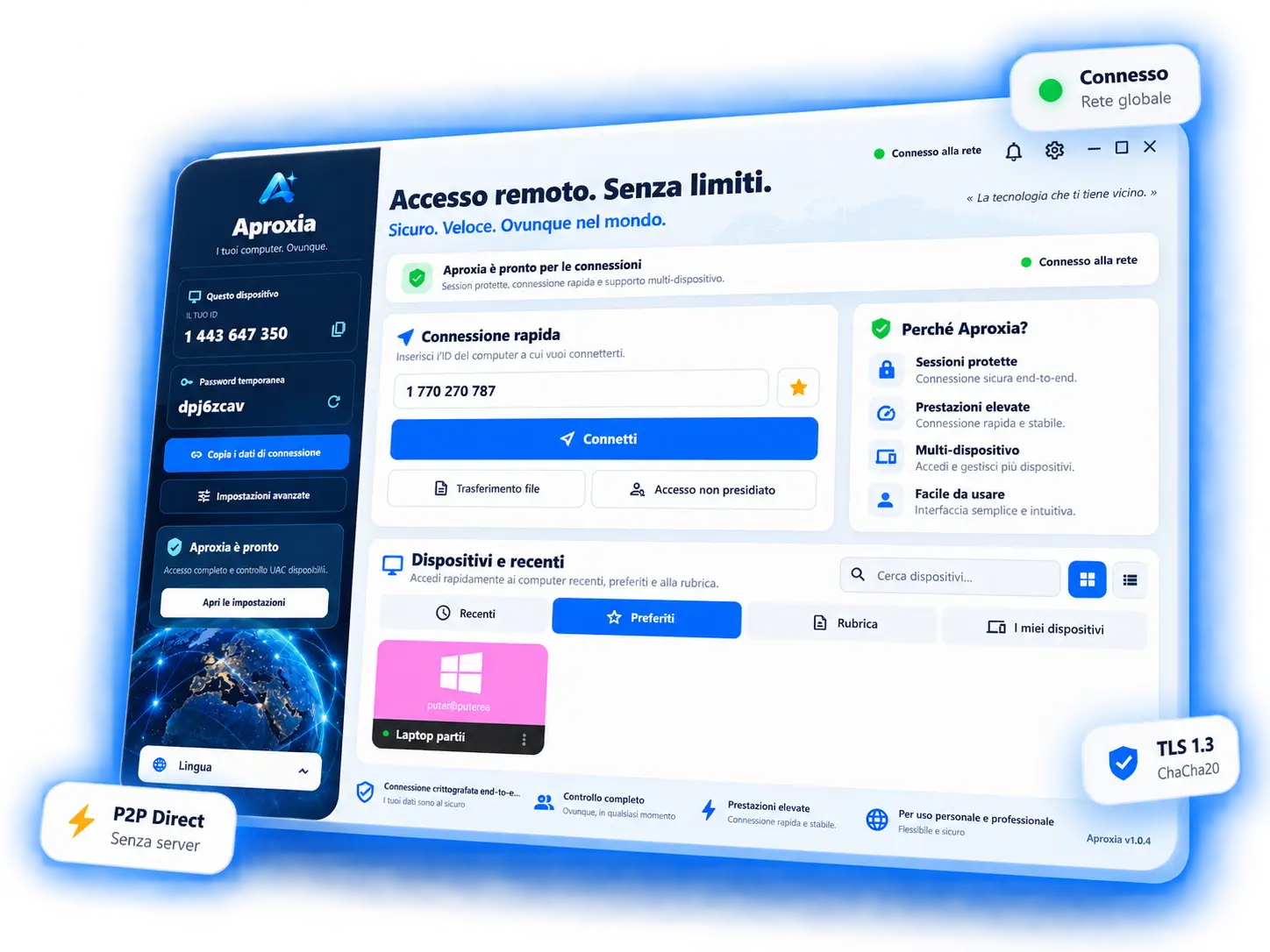
Everything you need to connect, without unnecessary steps.
Modern architecture built for speed, clarity, and zero bureaucratic friction.
60 FPS Ultra-Smooth Video Stream
Adaptive native engine with ultra-low latency. Zero input lag, true-color rendition, and responsive control.
End-to-End Encryption & Direct P2P
Secure native architecture with direct P2P connections and optimized relay. All traffic is 100% E2E encrypted.
Instant 9-Digit ID Pairing
No compulsory sign-up or friction for supported users. Launch, share code, and connect immediately.
842 190 357
Drag & Drop File Transfer
Transfer logs, installers, or files directly into the active session window with resume support.
How it works
Zero router configuration, zero firewall complications, ready in under 60 seconds.
Download the app
Choose the portable or installable version available for your device.
Enter the ID
Use the ID of the computer you want to reach.
Start your session
Confirm access and use the remote computer.
Built for the way you work
From helping family members to enterprise IT helpdesks and fleet administration.
For individuals
Access your own computer when you're away.
For professionals
Provide support and quickly return to client devices.
For small teams
Choose a plan with more active connections when you need them.
Who is using Aproxia?
The following data reflects real-world usage patterns of Aproxia across enterprise teams and IT professionals.
Trust starts with clear information.
We explain what each plan includes, which features are available, and how to contact support. Technical details about connection protection will be published after verification.
Simple plans. Clear limits.
Start with Free or choose the plan that fits your needs.
Free
A way to explore Aproxia.
- 1 user
- 1 concurrent connection
- 60 minutes / day free session time
- Secure P2P encryption & full screen
- Basic high-speed file transfer
Personal
For everyday access.
- 1 user
- 1 concurrent connection without time limits
- Secure unattended remote access
- File transfer & clipboard synchronization
- Favorite devices address book
Professional
For support and more sessions.
- 1 user
- Up to 3 concurrent connections
- Unattended access on unlimited computers
- Multi-monitor support & instant screen switch
- Unlimited address book & priority support
Enterprise
For large companies, expanded teams, or custom infrastructure requirements.
- Dedicated private cloud relay nodes
- Guaranteed 99.99% SLA & 24/7 priority support
- Unlimited concurrent connections
- SSO, Active Directory & custom group policies
- Security audit and assisted deployment
Frequently Asked Questions
Essential answers regarding P2P direct connections, licensing, and security.
Aproxia is a professional solution for remote access and remote technical support. You can use the application for customer support, maintenance, computer management, and secure access to authorized devices.
A concurrent connection is one active remote session at a given time. For example, a plan with three concurrent connections allows up to three active sessions simultaneously. These sessions can be initiated by the same technician or by multiple team members, depending on your plan.
Licensing is determined by the number of concurrent connections, not by the total number of devices you can assist. Specific limits or conditions may apply depending on your plan.
Yes. Aproxia is designed for IT professionals, support companies, agencies, internal IT departments, and managed service providers (MSPs). For ongoing professional use, an appropriate commercial plan is required.
Yes, if your plan and application configuration include unattended access. Unattended access allows connecting to an authorized device without requiring a person to manually accept each session. For security, it must be explicitly enabled and protected by robust authentication and permissions.
With attended support, the user in front of the computer accepts the incoming connection. With unattended access, the remote device is configured in advance, allowing authorized technicians to connect without manual confirmation on each session.
You can install the application on any devices required for your work, within the terms of your chosen plan. For teams, licensing may depend on operator count, concurrent sessions, or managed endpoints.
This depends on your plan and can be customized anytime. The number of registered technicians should not be confused with concurrent connections: you can have five technicians in an account, while the plan allows three simultaneous active sessions.
Ready to work from anywhere?
Discover Aproxia and choose the right way to connect.